

You open the design file from a client and hit print, only to discover hours later that the colors are off, resolution is too low, and the entire job needs redoing. This scenario plays out daily in print shops worldwide, costing time, materials, and client trust. The culprit? Misunderstood or improperly prepared design files. Mastering how design files function in printing workflows transforms these headaches into smooth, profitable operations. This guide reveals how proper file preparation, color management, and automation create faster turnarounds with precise results every time.
Table of Contents
- Understanding design file types in printing
- The prepress process and file preparation essentials
- Color management and file roles in color accuracy
- Using preflight software and automation for faster turnaround and fewer errors
- How LayerPrep simplifies your print-ready file preparation
- FAQ about the role of design files in printing
Key takeaways
| Point | Details |
|---|---|
| File format matters | Vector formats like PDF and EPS scale infinitely without quality loss, making them essential for professional print work. |
| Prepress prevents disasters | Automated preflighting catches errors before printing, reducing mistakes by up to 90% and cutting reprints dramatically. |
| Color profiles ensure consistency | Standardized ICC profiles maintain accurate color reproduction across devices and printing processes. |
| Automation speeds production | Preflight software reduces turnaround times by 20-30%, enabling faster delivery and higher throughput. |
| Proper preparation saves money | Well-prepared files eliminate costly reprints, wasted materials, and frustrated clients. |
Understanding design file types in printing
The foundation of successful printing starts with choosing the right file format. Design files fall into two main categories: raster and vector. Raster images like JPEG and PNG consist of pixels arranged in a grid. When you enlarge these files beyond their original resolution, the pixels become visible, creating that dreaded pixelated look. Vector files operate differently, using mathematical equations to define shapes, lines, and colors. This mathematical approach means vector formats scale infinitely without any quality degradation.
For print applications, vector formats reign supreme. PDF files have become the industry standard because they preserve fonts, colors, and layouts consistently across different systems. EPS (Encapsulated PostScript) files work beautifully for logos and illustrations that need to appear at various sizes. SVG files offer flexibility for web-to-print workflows. Meanwhile, raster images lose quality when scaled, making them suitable only for specific applications like photographs where the original resolution meets print requirements.
Print shops encounter problems when clients submit low-resolution raster files for jobs requiring enlargement. A 72 DPI image designed for web display looks crisp on screen but turns into a blurry mess at print size. Vector files eliminate this concern entirely because they recalculate at any dimension. Business cards, banners, vehicle wraps, and signage all benefit from vector formats that maintain sharp edges and clean text regardless of final size.
Choosing the right format depends on your specific print needs. Use vector formats for logos, text-heavy designs, illustrations, and anything requiring scaling. Reserve raster formats for photographic content where the original resolution exceeds 300 DPI at final print size. Understanding these distinctions prevents quality issues before they reach the press.
Pro Tip: Always request vector source files from designers when possible, and maintain a library of commonly used logos and graphics in vector format to streamline future projects.
Efficient print design workflows begin with proper file selection and continue through every stage of preparation. Converting raster elements to vector format when feasible, or ensuring sufficient resolution when conversion is impossible, sets the stage for quality output. Print shops that educate clients about file requirements upfront save countless hours of back-and-forth corrections later.
The prepress process and file preparation essentials
Between receiving a design file and sending it to press lies the critical prepress phase. This stage involves preparing digital files for production, including verification, correction, and optimization. Skipping or rushing prepress invites disasters: misspelled text going to print, colors shifting unexpectedly, or critical elements getting cut off. Thorough prepress work catches these issues when fixes cost minutes instead of thousands of dollars.
The prepress workflow follows a systematic approach:
- File verification: Check that all fonts are embedded or outlined, images are linked correctly, and color modes match printing requirements.
- Error detection: Identify low-resolution images, incorrect bleed settings, overprint conflicts, and color space mismatches.
- Correction: Fix detected issues through font substitution, image replacement, color conversion, or layout adjustments.
- Optimization: Compress file sizes appropriately, flatten unnecessary layers, and ensure efficient processing.
- Approval: Generate proofs for client review and final sign-off before production.
Common problems surface during prepress that would otherwise halt production. Missing fonts cause text to reflow incorrectly. RGB images intended for CMYK printing produce unexpected color shifts. Insufficient bleed means white edges appear on trimmed pieces. Transparent elements interact unpredictably with background colors. Each issue requires specific fixes that prepress specialists handle routinely.
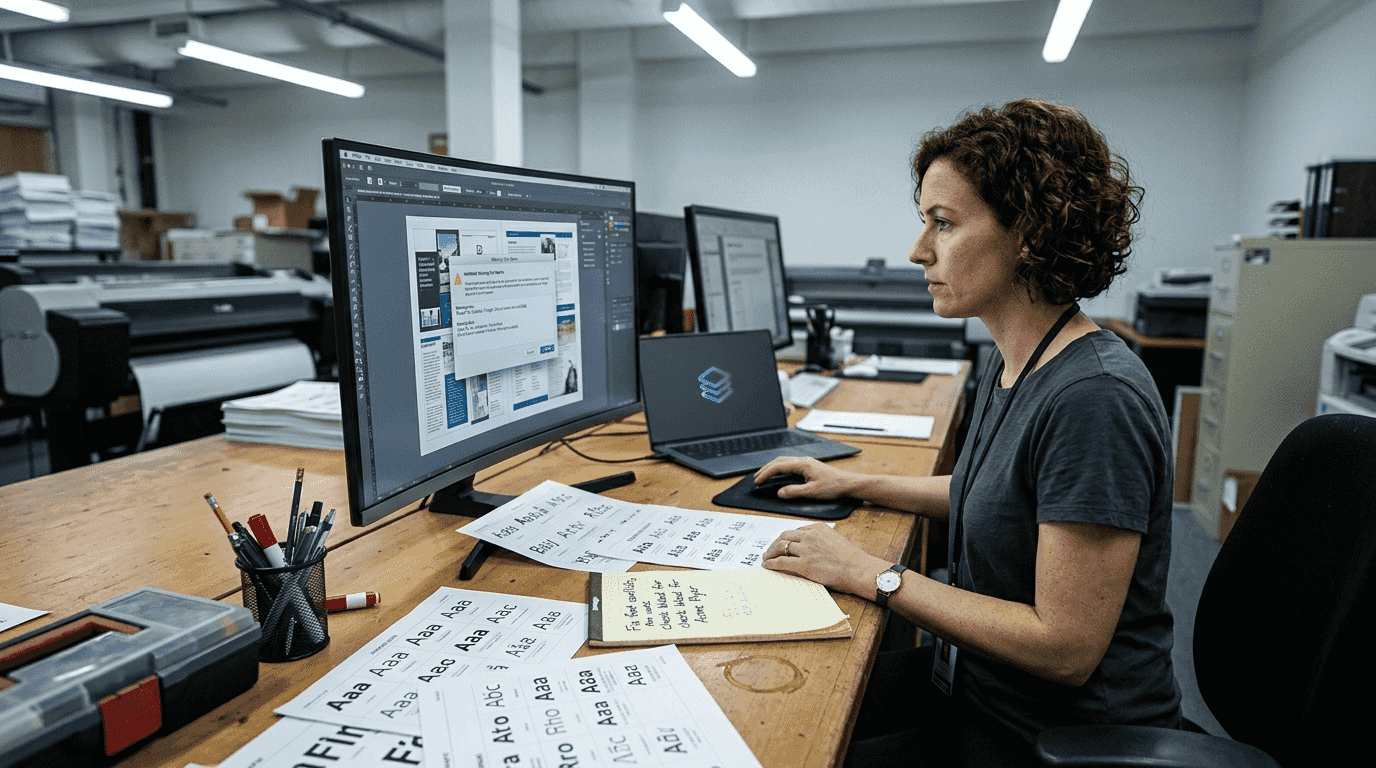
Effective prepress processes create competitive advantages through faster turnaround times, fewer reprints, and consistent quality. Yet many print shops rely on outdated manual methods instead of automation, leaving errors undetected until printing begins. Manual checking is slow, inconsistent, and prone to human oversight, especially during busy periods or with complex files.
Automating prepress tasks transforms workflow efficiency. Software tools verify hundreds of specifications in seconds, flagging potential issues that human reviewers might miss. Automated systems check DPI resolution across all images, validate bleed measurements, confirm color profiles, and verify font embedding without fatigue or distraction. This consistency ensures every job meets standards regardless of workload or time pressure.
Pro Tip: Always convert files to CMYK and verify minimum 300 DPI resolution during prepress to prevent color surprises and quality issues on press.
"The difference between amateur and professional print operations often comes down to prepress discipline. Professionals catch problems before ink hits substrate."
Modern print readiness standards demand thorough prepress attention. As printing technology advances and client expectations rise, the margin for error shrinks. Investing time in proper file preparation pays dividends through reduced waste, happier clients, and smoother production schedules.
Color management and file roles in color accuracy
Color consistency separates mediocre print shops from exceptional ones. Clients expect their brand colors to match precisely across business cards, brochures, and banners. Achieving this consistency requires understanding how design files preserve and communicate color information. Poor color management leads to reprints, client complaints, and damaged reputations.
ICC (International Color Consortium) profiles form the backbone of professional color management. These profiles describe how devices interpret color data, enabling consistent reproduction across monitors, printers, and presses. Standardized color profiles ensure consistent reproduction across different devices and printing processes. Without proper profiles, the vibrant blue on a designer's monitor might print as purple or teal.
Color management challenges compound in print environments:
- Device variation: Every monitor, printer, and press interprets color slightly differently without calibration.
- Color space mismatches: RGB files designed for screens contain colors impossible to reproduce in CMYK printing.
- Lighting conditions: Viewing prints under different lighting reveals color shifts that weren't apparent during proofing.
- Substrate influence: Paper color, texture, and coating affect how printed colors appear.
- Ink behavior: Different ink formulations and application methods produce varying results.
Design files play a crucial role in maintaining color integrity. Embedded ICC profiles tell printing systems how to interpret color values correctly. Files created in RGB color space must convert to CMYK before printing, and this conversion requires careful management. Simply switching modes without proper profiles causes unpredictable shifts. Converting files to CMYK before printing avoids unexpected color shifts that occur when printers perform automatic conversion.
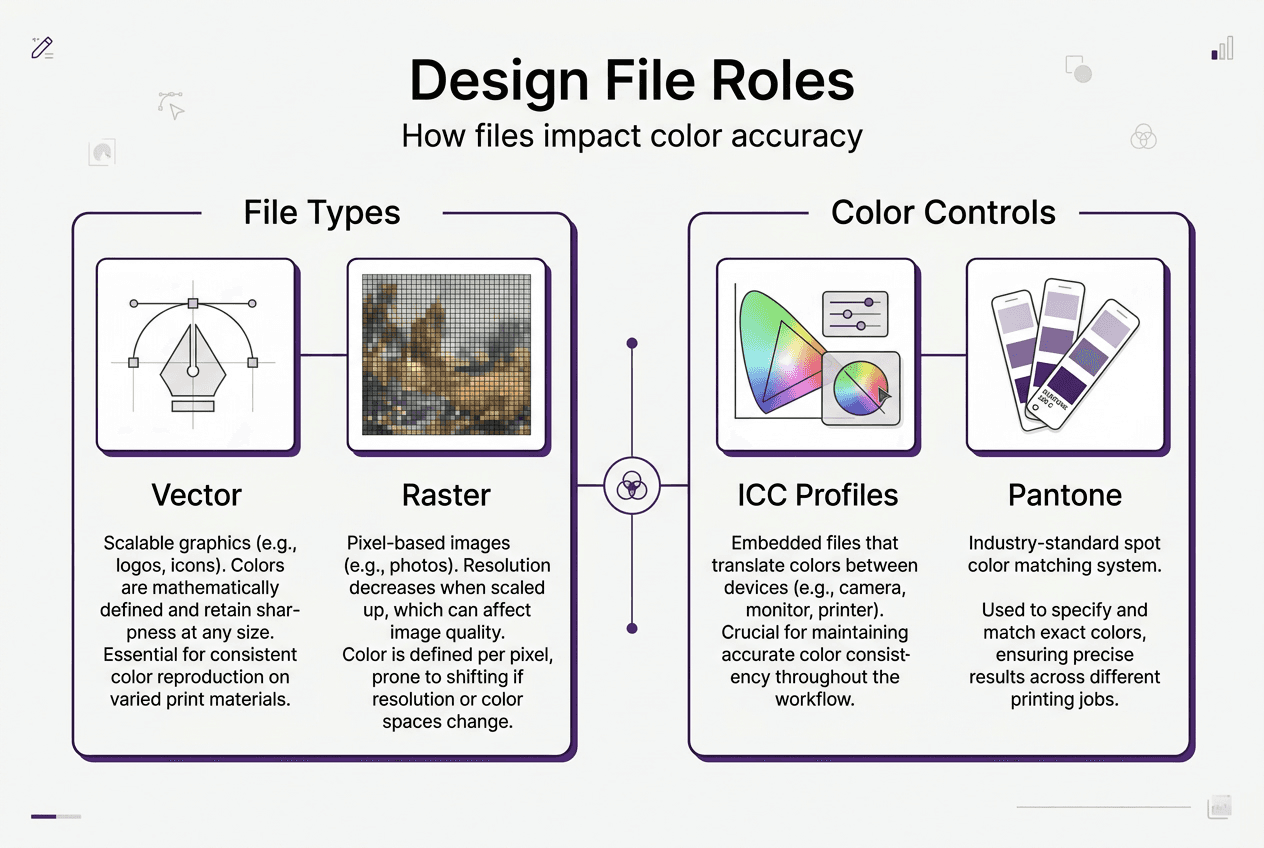
Pantone spot colors offer another approach to color accuracy. Rather than mixing CMYK inks to approximate a color, spot colors use premixed inks that match specific standards. Design files specify Pantone numbers, and printers match those standards precisely. ICC profiles reduce color deviation by up to 80%, but spot colors eliminate deviation almost entirely for critical brand colors.
Implementing effective color management requires systematic practices:
| Practice | Benefit | Implementation |
|---|---|---|
| Profile embedding | Ensures consistent interpretation | Embed ICC profiles in all design files |
| Regular calibration | Maintains device accuracy | Calibrate monitors and printers monthly |
| Standardized workflows | Reduces variables | Use consistent color spaces throughout production |
| Soft proofing | Catches issues early | Preview CMYK conversion before printing |
| Physical proofing | Validates final appearance | Print test samples on actual substrate |
Color accuracy directly impacts client satisfaction and business success. Brands invest heavily in color consistency across all materials. A print shop that delivers reliable color matching becomes invaluable to these clients. Conversely, inconsistent color reproduction drives clients to competitors who demonstrate better control.
Mastering color accuracy in printing requires attention throughout the workflow. From initial file creation through final production, every step influences color outcomes. Design files serve as the color information carriers, and proper management ensures that information translates accurately to printed results.
Using preflight software and automation for faster turnaround and fewer errors
Preflighting represents the quality control checkpoint that separates professional operations from amateur ones. This process involves checking design files against printing specifications before production begins. Manual preflighting is tedious and error-prone. Automated preflight software transforms this bottleneck into a streamlined quality assurance system that catches problems instantly.
The impact of automation on print quality is dramatic. Preflighting software reduces print errors by up to 90%, significantly decreasing costly reprints and revisions. These tools examine hundreds of specifications simultaneously: image resolution, color spaces, font embedding, bleed settings, page dimensions, and overprint behavior. What takes a skilled technician 15 minutes to check manually happens in seconds with software.
Traditional manual preflight checking involves:
- Opening files in design software and inspecting each element
- Manually measuring bleeds and margins with rulers or guides
- Checking image links and resolution one by one
- Verifying font embedding through menus and dialogs
- Reviewing color spaces across multiple images
- Creating checklists to ensure nothing gets missed
Automated preflight tools revolutionize this process:
- Instant analysis of entire files against customizable rule sets
- Automatic flagging of issues with specific locations highlighted
- Batch processing of multiple files simultaneously
- Detailed reports showing exactly what needs correction
- Integration with production management systems
- Consistent checking regardless of operator experience or fatigue
Modern preflight tools combine algorithmic accuracy and human review to catch costly errors early. The software handles repetitive checking while technicians focus on creative problem-solving for flagged issues. This division of labor maximizes both efficiency and quality.
Beyond error reduction, automation accelerates production significantly. Automated preflight tools reduce turnaround times by 20-30%, leading to faster production cycles. Jobs move from receipt to press more quickly, enabling print shops to accept rush orders confidently and handle higher volumes without adding staff. Faster turnaround becomes a competitive advantage that attracts time-sensitive clients.
"Automation doesn't replace skilled prepress technicians. It amplifies their capabilities, letting them handle more complex work while software manages routine verification."
Implementing preflight automation requires initial investment but pays for itself quickly through reduced waste and increased throughput. Print shops should evaluate software based on their specific needs:
| Feature | Benefit | Priority |
|---|---|---|
| Custom rule sets | Matches your specific printing capabilities | High |
| Batch processing | Handles multiple files efficiently | High |
| Detailed reporting | Helps clients understand issues | Medium |
| Integration capability | Connects with existing systems | Medium |
| Automatic fixing | Corrects simple issues without intervention | Low |
Successful automation adoption involves training staff on new tools and establishing clear workflows. Technicians need to understand what the software checks and how to interpret reports. Creating standard operating procedures ensures consistent use across all jobs and operators.
The combination of proper file preparation, color management, and automated preflighting creates a robust quality system. Each element reinforces the others, building confidence that every job will print correctly the first time. This reliability translates directly into profitability through reduced waste, faster production, and satisfied clients who return repeatedly.
Print shops that embrace automation position themselves for growth. As client expectations rise and competition intensifies, manual processes become unsustainable. Optimizing print workflows through automation and proper file handling creates the foundation for scaling operations efficiently. The investment in tools and training pays ongoing dividends through every job produced.
Streamlining digital artwork processes from initial receipt through final production requires coordinated attention to file formats, prepress preparation, color management, and quality verification. Each stage builds on the previous one, creating a comprehensive system that delivers consistent, high-quality results.
How LayerPrep simplifies your print-ready file preparation
The concepts covered in this guide come together in practical tools designed specifically for print shop workflows. LayerPrep automates the complex tasks of color separation, Pantone matching, and file validation that traditionally consumed hours of manual work. The AI-powered platform accepts various file formats and delivers print-ready layers in approximately 30 seconds, dramatically accelerating your prepress workflow.
Color accuracy drives print quality, and LayerPrep's Pantone color extraction achieves 70-95% matching accuracy automatically. The system validates DPI resolution, checks bleed specifications, and handles complex gradients without manual intervention. Whether you're working with AI-generated designs or traditional artwork, LayerPrep integrates smoothly into existing workflows, reducing reprints and speeding turnaround times. Print shops using automated preparation tools report fewer client revisions and higher throughput, transforming file preparation from a bottleneck into a competitive advantage.
FAQ about the role of design files in printing
What is the difference between vector and raster files for printing?
Vector files use mathematical equations to define shapes and scale infinitely without quality loss, making them ideal for logos and text. Raster files consist of pixels and lose clarity when enlarged beyond original resolution, suitable only for photographs at proper DPI.
Why is preflighting important before printing?
Preflighting catches errors like low resolution, incorrect color spaces, and missing fonts before production begins. This verification process prevents costly reprints and production delays by ensuring files meet all printing specifications.
How do I maintain color accuracy in my design files?
Embed ICC color profiles in all files, convert RGB to CMYK before printing, and calibrate your monitor regularly. Use Pantone spot colors for critical brand colors that require exact matching across different print runs.
What resolution do images need for professional printing?
Images require minimum 300 DPI at final print size for sharp, professional results. Lower resolution causes visible pixelation and blurriness that degrades print quality and client satisfaction.
How does automation improve print shop workflows?
Automated preflight software reduces errors by 90% and cuts turnaround times by 20-30% compared to manual checking. This efficiency enables handling higher volumes, accepting rush orders, and maintaining consistent quality across all jobs.
Can I use files created for web display in print production?
Web files typically use RGB color space and 72 DPI resolution, both unsuitable for printing. These files require conversion to CMYK and resolution enhancement or recreation at proper specifications before printing.