

Manual print preparation drains hours from your day, but automation cuts setup time from hours to mere minutes. Modern print shops face mounting pressure to deliver faster turnaround while maintaining color accuracy and reducing costly errors. This guide reveals proven strategies to streamline every workflow stage, from design intake through final finishing, using automation tools and structured processes that transform print operations in 2026.
Table of Contents
- Understanding print workflow: key stages
- Prepress and file preparation in print workflows
- Role of automation in optimizing print workflows
- Specialized workflows for screen printing and DTF
- Common misconceptions and bottlenecks in print workflow
- Choosing the right tools and implementing efficient print workflows
- Summary and next steps for print workflow optimization
- Optimize your print workflow with LayerPrep
Key takeaways
| Point | Details |
|---|---|
| Four distinct workflow stages | Print workflow encompasses design, prepress, printing, and finishing, each requiring specific tools and coordination. |
| Automation reduces errors dramatically | AI-powered workflow tools cut human errors by up to 50% while accelerating job setup from hours to seconds. |
| Method-specific workflows matter | Screen printing, DTF, and other specialized methods demand tailored file preparation protocols for optimal quality. |
| Common bottlenecks slow production | Equipment downtime, poor scheduling, and insufficient training create predictable workflow delays that automation addresses. |
Understanding print workflow: key stages
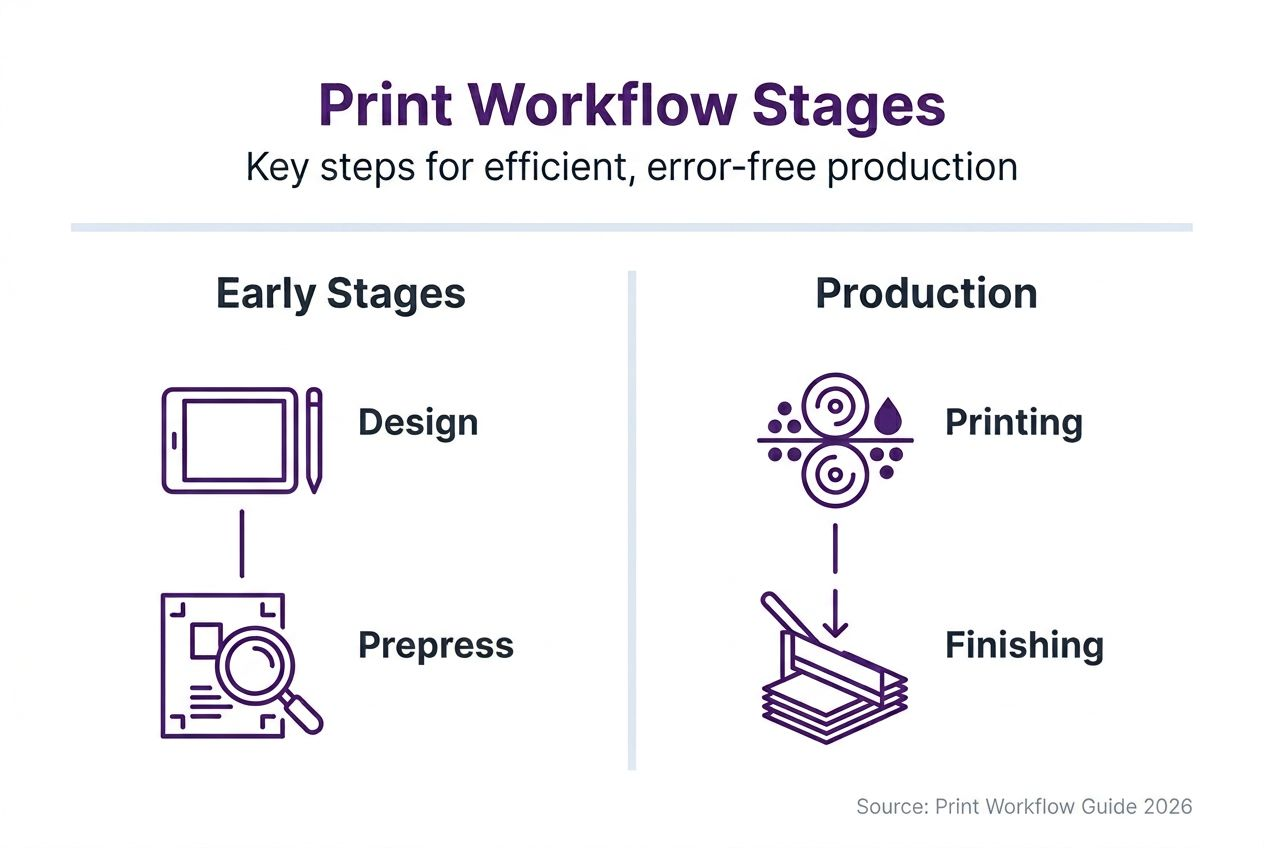
Print workflow is a multi-stage process from initial design through prepress, printing, and finishing to ensure high-quality printed products. Each stage builds on the previous one, creating a systematic production pipeline that transforms digital files into physical prints.
The design stage captures client requirements and creates the initial artwork or layout. Designers establish color palettes, typography, dimensions, and visual elements that communicate the intended message. This stage sets the foundation for everything that follows, making clear communication between designers and print operators essential.
Prepress transforms design files into print-ready formats through technical preparation. This critical stage involves color separation, resolution validation, bleed verification, and format conversion. Prepress specialists catch potential issues before they reach expensive printing equipment, preventing waste and reprints.
The printing stage transfers prepared files onto physical media using various methods like offset, digital, screen printing, or DTF. Each technique requires specific equipment settings, ink formulations, and substrate handling. Operators monitor quality throughout production runs, making adjustments to maintain color consistency and registration accuracy.
Finishing completes the product through cutting, folding, binding, laminating, or other post-print processes. This final stage delivers the polished result clients expect. Quality finishing transforms printed sheets into professional products that meet exact specifications.
Key workflow coordination elements include:
- Clear job specifications documented from initial client contact
- Standardized file naming and organization systems
- Quality checkpoints at each stage transition
- Equipment maintenance schedules preventing unexpected downtime
- Team communication protocols ensuring everyone stays informed
A systematic approach to these stages ensures consistent quality while reducing errors and delays throughout production. Shops that master workflow coordination complete jobs faster and with fewer costly mistakes.
Prepress and file preparation in print workflows
Prepress processes ensure design files are error-free, properly formatted, and color-corrected before printing to avoid costly mistakes. This stage serves as quality control, catching issues that would waste materials, time, and client goodwill if discovered during production.
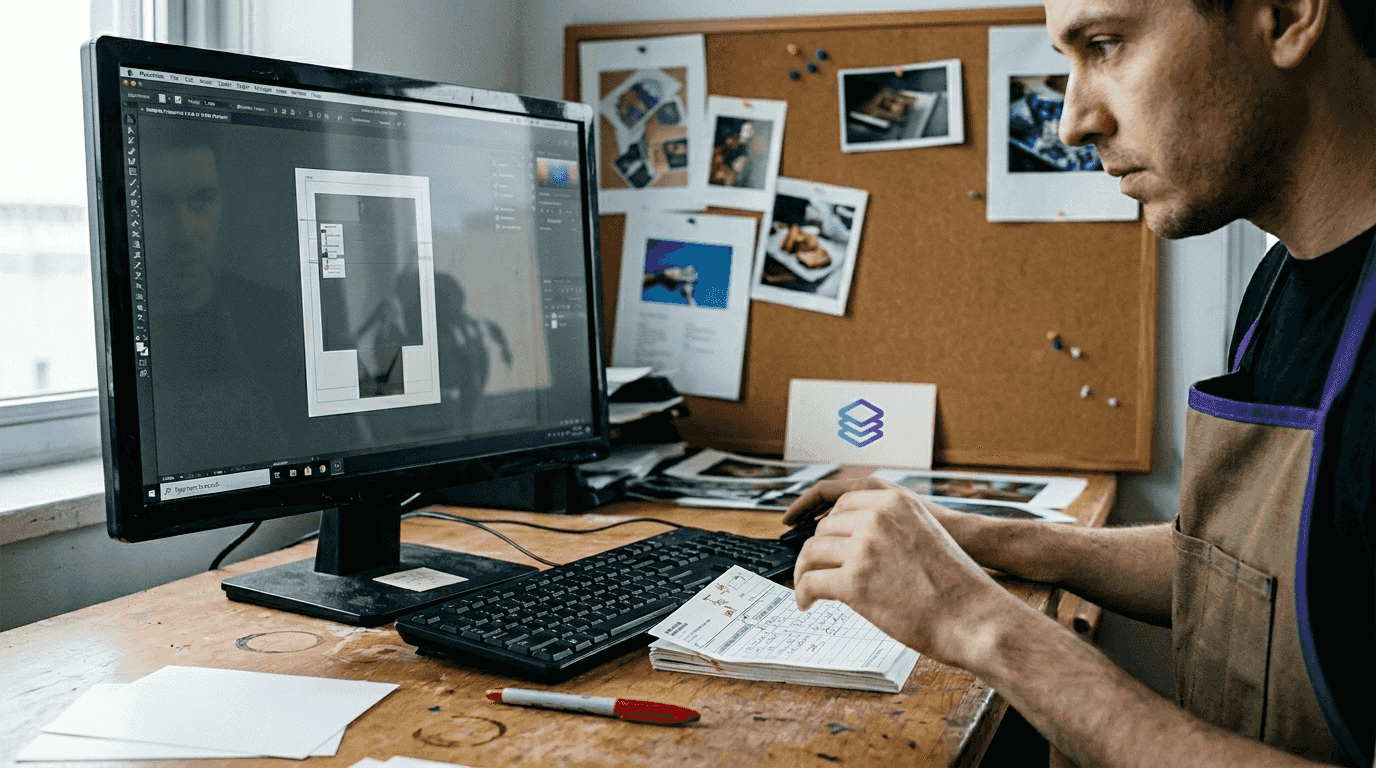
Preflighting systematically checks files against technical requirements. Automated preflight software examines resolution, color space, fonts, bleeds, and file format compatibility in seconds. These tools flag potential problems like low-resolution images, missing fonts, or incorrect color modes before files reach production equipment.
Color management ensures accurate reproduction across different devices and substrates. RGB files from designers must convert to CMYK, spot colors, or specialized color spaces depending on the printing method. Managing the digital artwork print process requires precise color profiles that account for ink behavior, substrate properties, and viewing conditions.
DPI validation confirms image resolution meets minimum requirements for sharp, clear prints. Standard guidelines recommend 300 DPI for most commercial printing, though specific applications may require higher or lower resolutions. Automated tools identify and upscale low-resolution elements or alert operators to source better assets.
Bleed settings extend artwork beyond trim edges, preventing white borders from paper cutting variations. Standard bleeds measure 0.125 inches, though large-format printing may require more. Understanding print layers helps operators prepare files with proper bleeds, safety margins, and trim marks.
Critical prepress tasks include:
- Converting color spaces to match printing method requirements
- Embedding or outlining fonts to prevent substitution errors
- Verifying crop marks, registration marks, and color bars
- Checking gradient smoothness and transparency handling
- Validating file size compatibility with production software
Pro Tip: Create standardized prepress checklists for each print method your shop offers. This ensures operators never skip critical verification steps, even during rush jobs.
| Prepress Check | Screen Print | DTF | Offset |
|---|---|---|---|
| Color Mode | Spot colors separated | CMYK + White | CMYK |
| Min DPI | 150-200 | 300 | 300 |
| Bleed Required | Method dependent | 0.25" | 0.125" |
| Transparency | Flatten all | Flatten all | Flatten all |
Modern color separator tools automate these prepress tasks, reducing manual effort while improving accuracy. AI-powered platforms analyze designs, separate colors, validate technical specs, and prepare print-ready files in under 30 seconds, transforming workflows that once consumed hours.
Role of automation in optimizing print workflows
Automation cuts setup time from hours to minutes by handling repetitive tasks that previously required manual intervention. Print shops implementing automated workflows report dramatic efficiency gains, with some operators preparing files 10 times faster than traditional manual methods.
AI-powered tools assist with color separation, file validation, and job tracking throughout the production pipeline. These platforms analyze design files, identify color components, generate separated layers, and verify technical specifications automatically. Machine learning algorithms improve accuracy over time, adapting to shop-specific requirements and preferences.
Automated workflows reduce human errors by up to 50%, boosting quality and lowering costs associated with reprints and material waste. Manual file preparation introduces inconsistencies as operators interpret specifications differently or skip steps under time pressure. Automation applies identical processes to every job, ensuring predictable, reliable results.
Scheduling and tracking software prevent bottlenecks and improve job throughput by optimizing equipment utilization. These systems monitor machine availability, operator workload, and material inventory, automatically routing jobs to available resources. Real-time dashboards show production status, alerting managers to potential delays before they impact delivery schedules.
Automation benefits extend across workflow stages:
- Design intake systems capture client files and specifications automatically
- Preflight tools check technical requirements without operator intervention
- Color management profiles apply consistently across all jobs
- Production tracking updates clients on job status in real time
- Quality control systems flag issues immediately for rapid correction
Pro Tip: Start automation with your highest-volume, most repetitive tasks. Quick wins demonstrate ROI and build team confidence before tackling complex workflow integrations.
"Shops that embrace automation gain competitive advantages through faster turnaround times, more consistent quality, and lower operating costs. The technology pays for itself within months through reduced labor hours and fewer material waste incidents."
Automation platforms like LayerPrep integrate seamlessly with existing workflows, requiring minimal setup or training. Cloud-based solutions eliminate hardware requirements, allowing teams to access tools from any location. Subscription pricing scales with shop size, making automation accessible to small studios and large production facilities alike.
The key to successful automation implementation lies in identifying processes that consume disproportionate time relative to their complexity. File preparation, color matching, and specification validation represent ideal candidates because they follow predictable rules that software executes flawlessly. Human operators then focus on creative problem-solving and client communication where judgment and experience add genuine value.
Specialized workflows for screen printing and DTF
Screen printing requires precise, separated color layers to produce sharp, vibrant prints on textiles and other substrates. Each color in the design needs its own screen, making accurate color separation critical. Manual separation takes skilled operators 30 minutes to several hours depending on design complexity, while automated tools complete the process in seconds.
DTF printing demands strict bleed and resolution checks for optimal film transfers. This relatively new printing method transfers designs from special films onto garments using heat and pressure. Files must include proper white underlayers, maintain high resolution throughout, and account for the unique transfer process. Inadequate preparation results in poor adhesion, color shifts, or detail loss.
Specialized tools automate these tasks to reduce job prep times to under 30 seconds. Screen print automation tools analyze designs, separate spot colors, generate halftones for gradients, and prepare individual layer files ready for screen creation. DTF-specific tools add white underlayers, validate resolution, check bleeds, and optimize files for film output automatically.
Each printing method has unique file preparation protocols that impact workflow efficiency. Understanding these requirements prevents costly errors and rework cycles.
| Requirement | Screen Printing | DTF Printing |
|---|---|---|
| Color Separation | Individual spot colors | CMYK + White layer |
| Gradient Handling | Halftone dots | Continuous tone |
| Typical Resolution | 150-200 DPI | 300+ DPI |
| Bleed Needs | Varies by substrate | 0.25 inch standard |
| File Preparation Time (Manual) | 30-120 minutes | 15-45 minutes |
| File Preparation Time (Automated) | Under 30 seconds | Under 30 seconds |
Screen printing workflow considerations:
- Spot color limitations based on available screens and press stations
- Underbase requirements for printing on dark fabrics
- Registration tolerances affecting design detail limits
- Mesh count selection impacting ink deposit and detail reproduction
- Curing requirements varying by ink chemistry and substrate
DTF workflow considerations:
- White ink layer density affecting opacity and transfer quality
- Film tension and adhesive powder application consistency
- Heat press temperature, pressure, and dwell time specifications
- Peel temperature (hot or cold) based on film manufacturer recommendations
- Wash durability testing protocols for quality assurance
Shops serving multiple print methods benefit enormously from workflow systems that adapt automatically to method-specific requirements. Rather than maintaining separate processes and training operators on each method's nuances, integrated platforms apply appropriate specifications based on job type. This flexibility allows shops to expand service offerings without proportionally increasing complexity or training burden.
Common misconceptions and bottlenecks in print workflow
Many believe manual file checks are more reliable than automation, but automation reduces errors significantly through consistent application of technical rules. This misconception persists because experienced operators developed deep expertise through years of practice. However, even skilled professionals make mistakes under time pressure, when fatigued, or when handling unfamiliar design styles. Automated systems apply identical verification processes to every file without variation.
Common bottlenecks include equipment downtime, poor scheduling, and insufficient staff training. These issues compound, creating cascade effects that delay entire production schedules. A single press malfunction during peak production hours can back up dozens of jobs. Inadequate scheduling creates periods of overcapacity followed by underutilization, wasting expensive equipment and operator time.
Recognizing and fixing these issues dramatically improves print production timelines and output quality. Shops that systematically identify and address bottlenecks report 30-40% throughput increases without additional equipment investment. The key lies in measurement and analysis rather than assumptions about where problems exist.
Understanding that workflows differ by printing method prevents one-size-fits-all errors. New operators often apply familiar processes to unfamiliar methods, creating quality problems. Screen printing color separation techniques do not transfer directly to DTF preparation. Offset printing bleeds differ from large-format requirements. Method-specific training and documentation prevent these costly mistakes.
Workflow misconceptions to avoid:
- Assuming faster equipment alone solves throughput problems (scheduling and coordination matter more)
- Believing experienced operators need no process documentation (consistency requires written standards)
- Thinking all design files require identical preparation steps (method and substrate drive requirements)
- Expecting clients to provide print-ready files without verification (assuming creates expensive surprises)
- Skipping preventive maintenance to maximize production time (breakdowns cost far more than scheduled service)
Bottleneck identification strategies include tracking job completion times by stage, monitoring equipment utilization rates, analyzing rework frequencies, surveying operators about pain points, and comparing actual versus scheduled production capacity. Data reveals patterns invisible to casual observation. A prepress stage that feels efficient might actually consume 40% more time than industry benchmarks, highlighting improvement opportunities.
Addressing training gaps requires ongoing investment, not one-time orientation. Print technology evolves constantly, with new materials, methods, and software emerging regularly. Shops that budget for continuous skill development maintain competitive advantages while reducing errors from outdated knowledge. Cross-training operators across multiple workflow stages also builds flexibility, preventing single points of failure when key personnel are unavailable.
Choosing the right tools and implementing efficient print workflows
Prioritize automation tools that handle prepress, color matching, and job tracking comprehensively. Fragmented solutions requiring multiple platforms increase complexity rather than reducing it. Integrated systems that manage end-to-end workflows eliminate data transfer errors, reduce learning curves, and provide unified reporting across all production stages.
Cloud-based platforms enhance collaboration and enable real-time proofing with clients and teams regardless of location. Remote work flexibility became essential during recent years and remains valuable for distributed teams. Cloud systems automatically backup work, prevent version control issues, and allow multiple operators to access the same job data simultaneously without conflicts.
Choosing software with Pantone matching capabilities improves color precision and customer satisfaction. Brand-conscious clients demand exact color reproduction across all materials and production runs. Automated Pantone matching tools analyze designs, identify closest standard colors, and generate accurate formulations, eliminating guesswork and sample iterations.
Assess subscription plans to match your shop size and workflow complexity. Small studios processing dozens of jobs monthly have different needs than high-volume operations handling thousands. Scalable pricing ensures you pay for capacity you actually use while maintaining upgrade paths as business grows.
Integration compatibility with existing hardware ensures seamless adoption without replacing functional equipment. Modern workflow software connects to legacy printers, cutters, and production management systems through standard protocols. This compatibility protects capital investments while gaining automation benefits.
Implementation steps for workflow optimization:
- Audit current processes to identify time-consuming manual tasks and error-prone stages.
- Prioritize improvements based on frequency, time savings potential, and error reduction impact.
- Select tools that address top priorities while offering expansion capabilities for future needs.
- Train teams thoroughly on new systems before full deployment, using parallel workflows initially.
- Monitor metrics comparing old versus new workflow performance, adjusting processes based on data.
- Gather operator feedback regularly to identify usability issues and improvement opportunities.
- Document optimized workflows as standard procedures, updating as you refine processes.
Pro Tip: Run pilot programs with automation tools before full commitment. Most vendors offer trial periods or limited free tiers. Test with real production files to verify compatibility and measure actual time savings in your specific environment.
Technology evaluation criteria should include processing speed, accuracy rates, file format support, output quality, learning curve, vendor support responsiveness, update frequency, and total cost of ownership including subscription fees and training time. Platforms like LayerPrep excel across these dimensions, offering fast processing (30-second average), high accuracy (70-95% Pantone matching), broad format support (PNG, JPG, PDF, SVG), and intuitive interfaces requiring minimal training.
Successful implementation requires viewing workflow optimization as an ongoing process rather than a one-time project. Continuously measure performance, identify new bottlenecks as previous ones are resolved, and adapt processes to changing business needs. Technology capabilities expand regularly, creating opportunities to automate additional tasks or improve existing automations.
Summary and next steps for print workflow optimization
Adopt automation to speed up processes and reduce errors consistently across all workflow stages. Modern AI-powered tools transform time-consuming manual tasks into seconds-long automated operations, freeing operators for higher-value activities requiring human judgment and creativity.
Implement rigorous prepress checks focusing on file accuracy and color management. Automated preflight and validation prevent expensive mistakes from reaching production equipment. Consistent color management ensures brand colors reproduce accurately across jobs, substrates, and production runs.
Use specialized workflow tools for print method-specific requirements like screen printing and DTF. Generic workflows ignore the unique technical demands of different printing technologies. Method-optimized tools apply appropriate specifications automatically, ensuring quality without requiring operators to remember every technical detail.
Train teams and streamline scheduling to minimize bottlenecks throughout production. Equipment capabilities mean nothing if poor coordination creates idle time or queue backups. Invest in both technology and people to maximize workflow efficiency.
Start with scalable tools that fit your current needs and grow with your shop:
- Begin automating highest-volume, most repetitive tasks for quick ROI demonstration
- Choose cloud-based platforms enabling remote access and automatic updates
- Select vendors offering flexible subscription tiers matching your job volume
- Prioritize integrations with existing equipment protecting capital investments
- Plan for continuous improvement rather than one-time implementation
Efficient workflows separate profitable print operations from struggling ones in 2026's competitive market. Small improvements compound over time, creating significant competitive advantages through faster turnaround, better quality, and lower costs.
Optimize your print workflow with LayerPrep
Implementing the strategies in this guide becomes straightforward when you have the right tools. LayerPrep offers AI-powered automation specifically designed for print shops and graphic designers seeking faster, more accurate file preparation. The platform handles color separation, Pantone matching, DPI validation, and bleed checking automatically in under 30 seconds per job.
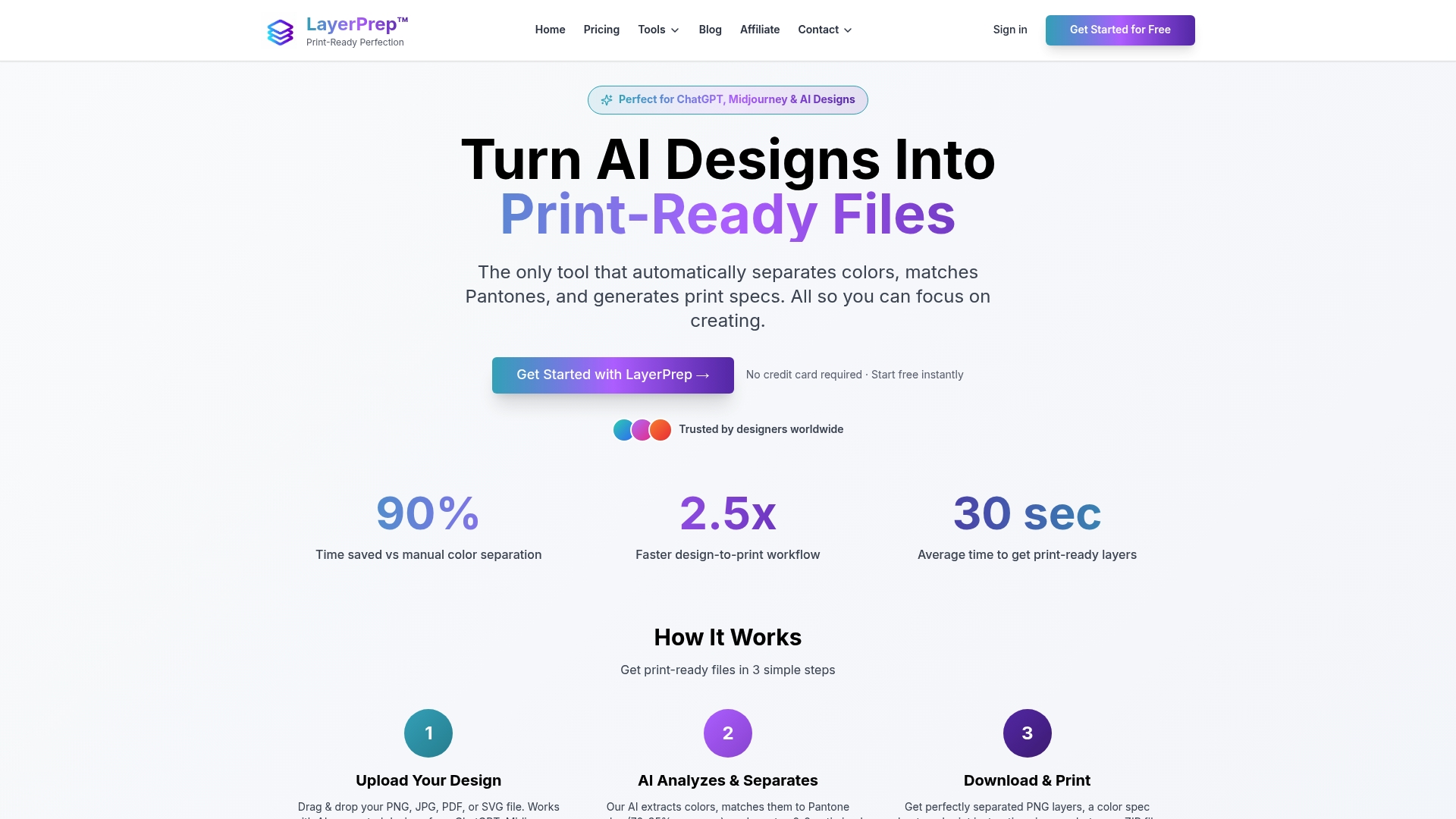
Whether you specialize in screen printing or other methods, LayerPrep adapts to your specific workflow requirements. The platform supports PNG, JPG, PDF, and SVG files up to 50MB, handling everything from simple logos to complex gradients. Flexible subscription plans scale from individual designers to full production teams, making professional-grade automation accessible regardless of shop size. Transform your print workflow today by integrating the efficiency and accuracy LayerPrep delivers.
FAQ
What is the main advantage of automating print workflows?
Automation drastically reduces setup time from hours to minutes while minimizing human errors by up to 50%. This leads to faster turnaround times, more consistent quality, and lower costs from reduced material waste and reprints.
How does prepress affect print quality?
Prepress verifies and corrects files before printing, catching errors in color space, resolution, bleeds, and formatting. This prevents costly mistakes that would waste materials and time, ensuring accurate color reproduction and technical specifications are met.
Can one print workflow fit all printing methods?
No, different printing methods require tailored workflows to manage unique requirements like color separations for screen printing versus CMYK plus white layers for DTF. Method-specific preparation ensures optimal quality and prevents errors from applying incorrect specifications.
Recommended
- Streamline digital artwork print process in 2026
- What are print layers? A guide to efficient print files
- LayerPrep - AI Design Color Separator for Print Shops | Pantone Color Extraction
- Print Workflow Explained: Improving Business Efficiency - www.printcafeusa.com
- Production Speed in DTF Printing: Boosting Efficiency – Transfer Kingz