
Most designers think print layers are only about color separation. That's partially true, but print layers control much more. They manage layout, bleed, resolution, and color accuracy. Understanding these components transforms your designs into flawless, print-ready files while saving hours of manual work.
Table of Contents
- Introduction To Print Layers In Graphic Design And Print Production
- Technical Breakdown: Color Separation And Pantone Matching In Print Layers
- Key Print Layer Specifications: DPI, Bleed, And File Format Considerations
- AI Automation In Print Layer Preparation: Enhancing Efficiency And Accuracy
- Common Misconceptions About Print Layers And Color Accuracy
- Practical Framework: Choosing And Preparing Print Layers For Different Printing Methods
- Conclusion: Leveraging AI And Print Layer Knowledge For Optimal Print-Ready Files
- Discover AI-Powered Print Layer Tools To Streamline Your Workflow
- Frequently Asked Questions
Key takeaways
| Point | Details |
|---|---|
| Print layers manage color separation, layout, bleed, and resolution for print-ready files | They ensure every design element meets production standards across different printing methods |
| Pantone color matching in print layers achieves 70 to 95 percent accuracy with AI assistance | Automated tools reduce manual color correction time and improve brand consistency |
| Print layers must meet technical specs including 300 DPI resolution minimum and 0.125 inch bleed | Meeting these standards prevents pixelation, white edges, and trimming errors |
| AI automation reduces prep time to about 30 seconds and lowers print errors significantly | Manual preparation can take hours and leads to costly mistakes in up to 20 percent of jobs |
| Proper print layer setup differs by printing method including screen printing, DTF, and digital | Each method requires specific layer configurations for optimal output quality |
Introduction to print layers in graphic design and print production
Print layers are separated components of design files that handle individual colors, layout positioning, bleed zones, and resolution specifications. They enable seamless compatibility across different print methods like screen printing, direct to film (DTF), and digital printing. Without proper layer organization, designs face color overlap issues, incorrect cutting boundaries, or resolution loss during production.
Successful print workflows depend on accurate print layer preparation for production speed and consistency. Many designers focus solely on color separation, missing the broader picture. Print layers also include bleed and layout considerations essential for high quality print output. Tools like LayerPrep AI color separator automate these complex tasks, reducing manual effort while improving accuracy.
Print layers serve multiple critical functions beyond splitting colors into separate channels:
- Individual color management for precise ink application
- Layout integrity preservation during file conversion
- Bleed zone definition to prevent trimming errors
- Resolution validation ensuring crisp output quality
- Format compatibility across production equipment
Pro Tip: Always validate your print layers against production specifications before exporting. A quick check saves costly reprints and production delays.
Technical breakdown: color separation and Pantone matching in print layers
Color separation isolates each print color into distinct layers for accurate ink application during production. This process is fundamental to multi-color printing techniques where each ink requires its own printing plate or screen. Without proper separation, colors bleed into each other or create unwanted color shifts that deviate from your original design intent.
Pantone color systems standardize color references, ensuring consistent brand and print colors across different materials and production runs. These standardized colors act as a universal language between designers and printers. AI powered Pantone matching improves accuracy from manual methods to between 70 and 95 percent, dramatically reducing the guesswork involved in color translation. This technology analyzes your design and automatically selects the closest Pantone matches based on sophisticated color algorithms.
AI reduces manual errors, speeding up production and minimizing costly reprints. Traditional color matching requires designers to manually compare colors against physical Pantone books, a time consuming process prone to human error. Automated systems process this instantly while maintaining consistency across hundreds of files.
Key benefits of automated color separation include:
- Instant color channel isolation for complex designs
- Accurate Pantone code assignment reducing guesswork
- Consistent color matching across multiple design files
- Reduced time spent on manual color adjustments
- Lower reprint rates due to color accuracy improvements
Proper color separation and matching is critical for multi-color printing techniques and client satisfaction. When brand colors print consistently, clients trust your work and return for future projects. Pantone matching tools have become essential for maintaining this consistency.
Pro Tip: Test your color separations with a proof print before committing to large production runs. This catches any color mismatches early when corrections are still affordable.
Key print layer specifications: DPI, bleed, and file format considerations
Print layers must meet resolution of at least 300 DPI to avoid pixelation and blurred prints. This resolution standard ensures that printed images maintain crisp edges and clear details when transferred to physical media. Lower resolutions work fine for digital screens but fail miserably in print production where every detail becomes visible.
Bleed of 0.125 inches or more is essential to prevent white edges after trimming. Standard bleed of at least 0.125 inches around design maintains layout integrity during trimming. Professional printers trim printed materials using industrial cutters that require this extra margin to account for slight variations in cutting precision.
Common file formats supporting layers include PDF, SVG, PNG, and JPG with varying layer preservation capabilities. PDF files maintain the most layer information, making them ideal for complex designs with multiple color separations. SVG files excel at preserving vector layer data for scalable designs. PNG and JPG formats work for simpler designs but may flatten some layer information during export.
| Specification | Minimum Requirement | Recommended | Purpose |
|---|---|---|---|
| DPI Resolution | 300 DPI | 300 to 600 DPI | Prevents pixelation and ensures sharp print quality |
| Bleed | 0.125 inches | 0.125 to 0.25 inches | Eliminates white edges after trimming |
| Color Mode | CMYK or Pantone | Pantone for brand colors | Ensures accurate color reproduction |
| File Format | PDF, PNG | PDF with layers | Preserves layer information and color data |
Choosing the right format depends on printing method and file complexity. Screen printing typically requires separated PDF layers for each color. DTF printing handles complex gradients better with high resolution PNG files. Digital printing accepts various formats but benefits most from layer preserved PDFs that maintain color accuracy.
Proper adherence to these specs ensures professional, error free prints and smooth production workflows. The LayerPrep file formats overview explains how different formats interact with automated color separation tools.
Pro Tip: Export a test file in your chosen format and open it in your printer's preferred software. This confirms that all layers, colors, and specifications transfer correctly before production begins.
AI automation in print layer preparation: enhancing efficiency and accuracy
AI reduces print file prep time from hours to about 30 seconds per file, transforming workflows that once bottlenecked production schedules. Designers previously spent entire afternoons manually separating colors and checking specifications. Now they upload files, run automated checks, and receive print ready layers almost instantly.
Automation improves Pantone matching accuracy to 70 to 95 percent, reducing manual corrections that previously required multiple revision cycles. AI algorithms analyze millions of color combinations to find optimal matches. This precision level surpasses what human eyes can achieve, especially when working under time pressure or with challenging color gradients.
AI tools validate DPI and bleed automatically to prevent common print errors that plague manual workflows. Software scans every design element, flagging images below 300 DPI resolution and checking that bleed zones extend properly beyond trim lines. These automated checks catch issues before files reach production equipment.
Manual preparation errors impact up to 20 percent of print jobs causing costly delays and reprints. These errors cascade through production schedules, delaying customer orders and eating into profit margins. AI automation eliminates most of these mistakes by applying consistent validation rules to every file.
How AI streamlines print layer preparation:
- Upload your design file in any supported format
- AI automatically separates colors into individual layers
- System matches colors to nearest Pantone codes
- Software validates DPI resolution across all elements
- Tool checks bleed specifications and flags issues
- Export print ready layers optimized for your printing method
| Process Step | Manual Time | AI Automated Time | Error Rate Reduction |
|---|---|---|---|
| Color Separation | 45 to 90 minutes | 10 to 15 seconds | 85 percent |
| Pantone Matching | 30 to 60 minutes | 5 to 10 seconds | 78 percent |
| DPI Validation | 15 to 30 minutes | 3 to 5 seconds | 92 percent |
| Bleed Checking | 10 to 20 minutes | 2 to 5 seconds | 88 percent |
| Total Process | 100 to 200 minutes | 20 to 35 seconds | 83 percent average |
Color separation and file export are streamlined, increasing throughput and consistency across production batches. Print shops processing hundreds of files weekly see dramatic productivity gains. Industry adoption of AI tools is growing to meet tight production deadlines and quality standards that clients now expect.
Specialized tools address different printing methods. Screen print tools optimize layer separation for plastisol and water based inks. DTG printing tools handle the complex color profiles needed for direct to garment applications. DTF printing tools manage the gradient complexities inherent to film transfer processes.
Pro Tip: Run your first few AI processed files through your normal quality control checks. This builds confidence in the automated system and helps you understand how it handles your specific design styles.
Common misconceptions about print layers and color accuracy
Print layers also govern bleed and layout settings, not just colors, yet many designers overlook these critical aspects. This narrow focus leads to production problems that could have been prevented with comprehensive layer management. Understanding the full scope of print layer functions separates amateur work from professional output.
Print layers only concern color separation but also involve layout and bleed critical for quality. Ignoring bleed can cause white edges and print trimming errors that ruin otherwise perfect designs. When commercial cutters trim printed materials, even slight misalignment shows up as exposed white paper edges along design boundaries.
Manual layer prep errors commonly lead to misprints and reprint costs affecting one in five jobs. These mistakes compound when working under deadline pressure or processing large batches of files. Each error requires reprinting, wasting materials, labor, and delivery timelines that impact customer satisfaction.
AI assisted workflows significantly reduce these errors and improve print quality by applying consistent validation across every file. Automated systems never forget to check bleed zones or skip DPI validation due to fatigue. They apply the same rigorous standards whether processing the first file of the day or the hundredth.
Common misconceptions that cause production problems:
- Believing color separation is the only print layer concern
- Assuming manual color matching is more accurate than AI
- Thinking 72 DPI screen resolution translates fine to print
- Overlooking bleed requirements for full bleed designs
- Trusting file formats that flatten essential layer data
Understanding the full scope of print layers avoids costly mistakes and streamlines production workflows. Designers who grasp these concepts produce better files on first submission, building reputation for reliability. Print shops appreciate receiving properly prepared files that move smoothly through production without delays or quality issues.
Practical framework: choosing and preparing print layers for different printing methods
Screen printing requires separate layers for each color ink with strict color matching and high DPI to ensure crisp edge definition. Each screen corresponds to one ink color, so your layer separation must precisely match your ink choices. This method works best for designs with solid colors rather than complex gradients. Screen print preparation tools optimize files for this specialized process.
DTF printing handles complex gradients, demanding precise layered gradients and bleed specifications that accommodate film transfer processes. This method excels at reproducing photographic images and smooth color transitions. Gradient layers must maintain color accuracy throughout the transition to prevent banding or color shifts in the final print.
Digital printing requires file formats preserving layers and appropriate resolution for crisp output on various substrates. This versatile method handles everything from business cards to large format posters. Files need proper color profiles matched to specific printer models for optimal results.
Steps to prepare layers for any printing method:
- Finalize your design with all elements at their correct sizes
- Perform color separation isolating each print color
- Validate DPI resolution ensuring all elements meet 300 DPI minimum
- Check bleed extending at least 0.125 inches beyond trim lines
- Match colors to Pantone codes for brand consistency
- Export in the format optimized for your chosen printing method
Method specific layer requirements:
- Screen printing needs high contrast separated layers with minimal gradients
- DTF printing requires full color CMYK layers with proper white underbase
- Digital printing benefits from embedded color profiles and flattened transparency
- Sublimation printing demands vibrant colors in RGB mode for polyester fabrics
Routine checks before printing prevent costly reprints and ensure on brand color consistency across production runs. Develop a checklist covering DPI, bleed, color mode, and file format. Run through this list before sending files to production. DTF print layers require special attention to gradient handling and white underbase placement.
Conclusion: leveraging AI and print layer knowledge for optimal print-ready files
Print layers integrate color separation, layout, bleed, and resolution aspects critical for quality prints that meet professional standards. Mastering these components elevates your design work from amateur to professional level. Each element plays a specific role in ensuring your creative vision translates accurately to physical media.
AI automation drastically reduces preparation time and print errors while improving color matching accuracy beyond manual capabilities. Technology handles repetitive validation tasks faster and more consistently than human designers. This efficiency allows you to focus on creative work rather than technical specifications.
Designers and print professionals gain consistent, reliable print ready files with AI enabled print layer tools that streamline complex workflows. Consistency builds client trust and reduces the frustration of unexpected production problems. Adopting AI for print layers enhances productivity, reduces reprints, and elevates client satisfaction through reliable delivery of high quality printed materials. Explore LayerPrep AI solutions to transform your print production process.
Discover AI-powered print layer tools to streamline your workflow
LayerPrep automates color separation and Pantone matching with AI for faster print ready files that meet professional specifications. The tool supports multiple printing methods including screen printing, DTG, and DTF workflows, adapting to your specific production needs.
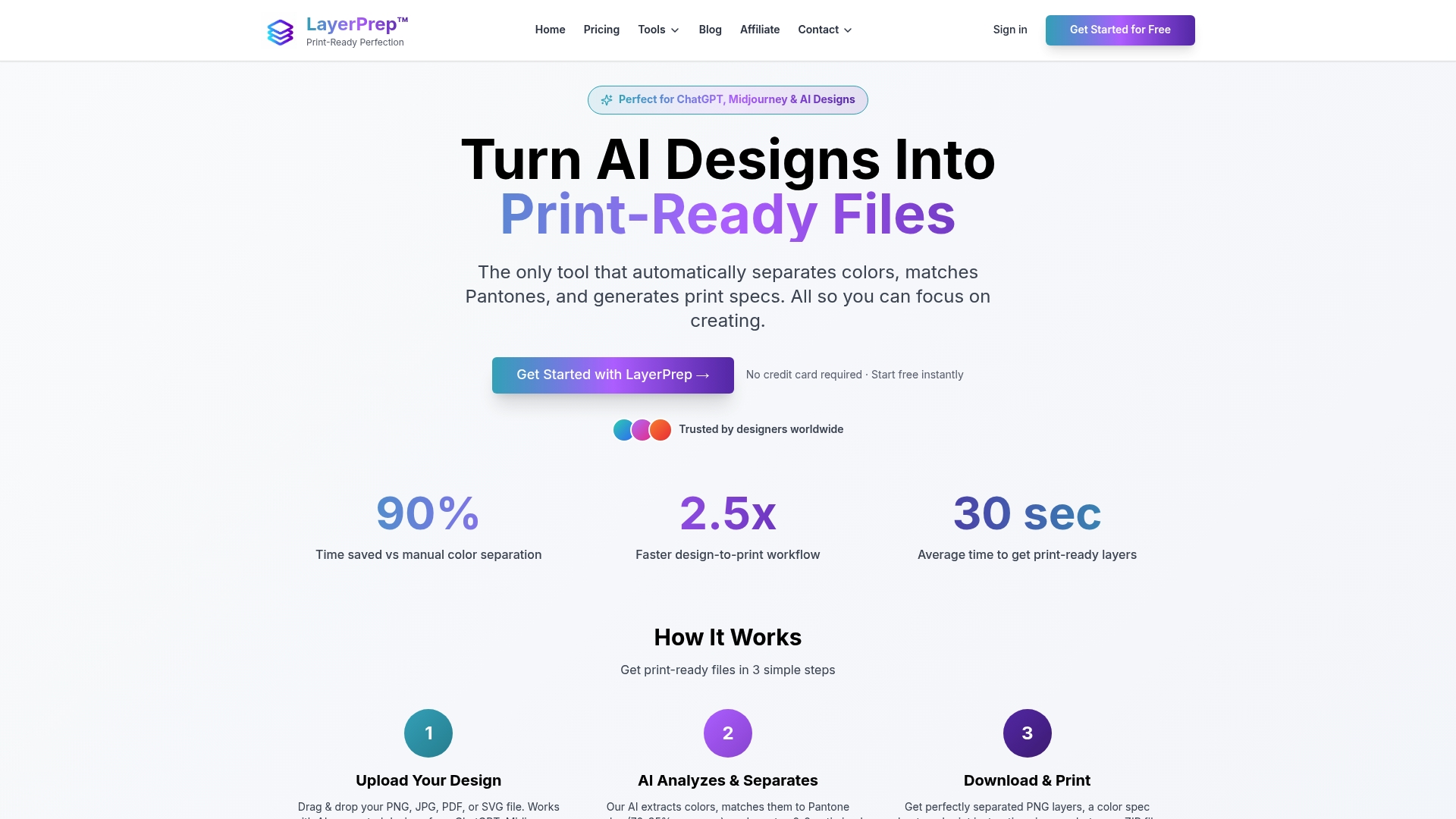
Users save time and reduce errors by validating DPI and bleed automatically with every file upload. The LayerPrep main page showcases how the platform transforms complex manual processes into simple automated workflows. Designed for graphic designers and print professionals seeking precision and efficiency, the system handles files up to 50MB with complex gradients.
Explore specialized tools tailored to your printing method. Screen print tools optimize separation for plastisol inks. DTG printing tools handle direct to garment color profiles. Each tool delivers print ready layers in about 30 seconds, eliminating hours of manual preparation work.
Frequently asked questions
What are print layers and why are they important?
Print layers are separated parts of design files controlling colors, layout, bleed, and resolution, essential for producing accurate, high quality prints. Their proper management ensures print clarity and color consistency across production runs. They also enable compatibility across various printing methods, preventing production errors that waste materials and time.
How does AI improve print layer preparation accuracy?
AI automates color separation and Pantone matching, achieving 70 to 95 percent accuracy compared to manual methods that rely on subjective visual matching. It validates DPI and bleed automatically, reducing costly manual errors that affect up to 20 percent of manually prepared files. Automation speeds file prep from hours to seconds while maintaining consistent quality standards.
What are common mistakes when preparing print layers?
Skipping or using incorrect bleed settings causes unwanted white edges along trim lines after cutting. Inaccurate or inconsistent Pantone color matching leads to off brand colors that fail client expectations. Embedding low resolution images below 300 DPI results in blurred prints with visible pixelation. Neglecting to validate all print specifications before file export creates production delays and reprint costs.
How do print layer requirements differ between printing methods?
Screen printing demands strict color separations and high DPI for inks, with each color requiring its own screen and layer. DTF handles complex gradients requiring precise layered gradients and bleed zones for proper film transfer. Digital printing needs file formats that preserve layers and resolution for crisp output across various substrates and printer models.